 CaromHub
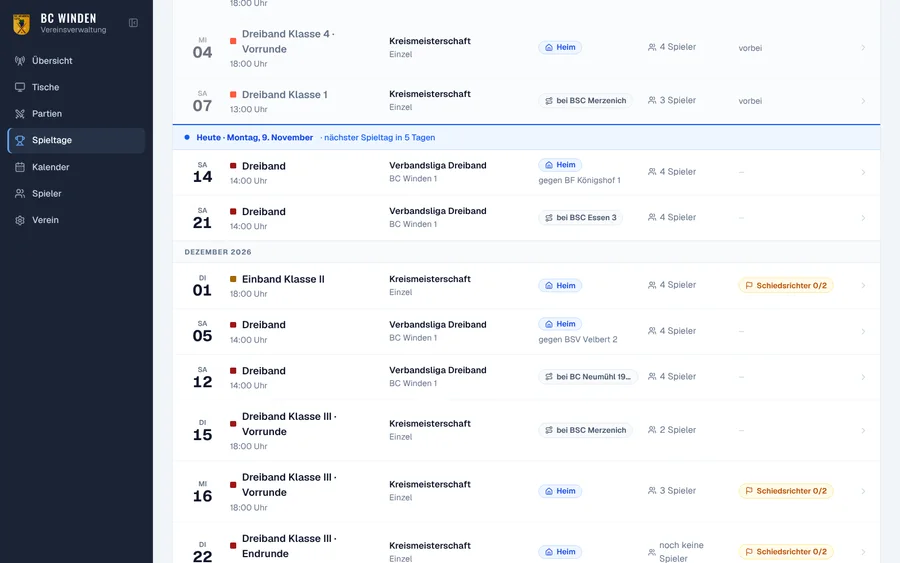
1 · Prepare
Web app
For the club, in the browser
- Manage players, tables and dates
- Plan match days and championships
- Import fixtures and squads from your federation
- Follow results live, correct statistics
The CaromHub scoreboard keeps score at the billiards table. Every match goes straight into statistics, leaderboards and the club page, and players see it in their app.
The club prepares in the browser, the match is played at the scoreboard, and every player checks the app. All three share the same data.
For the club, in the browser
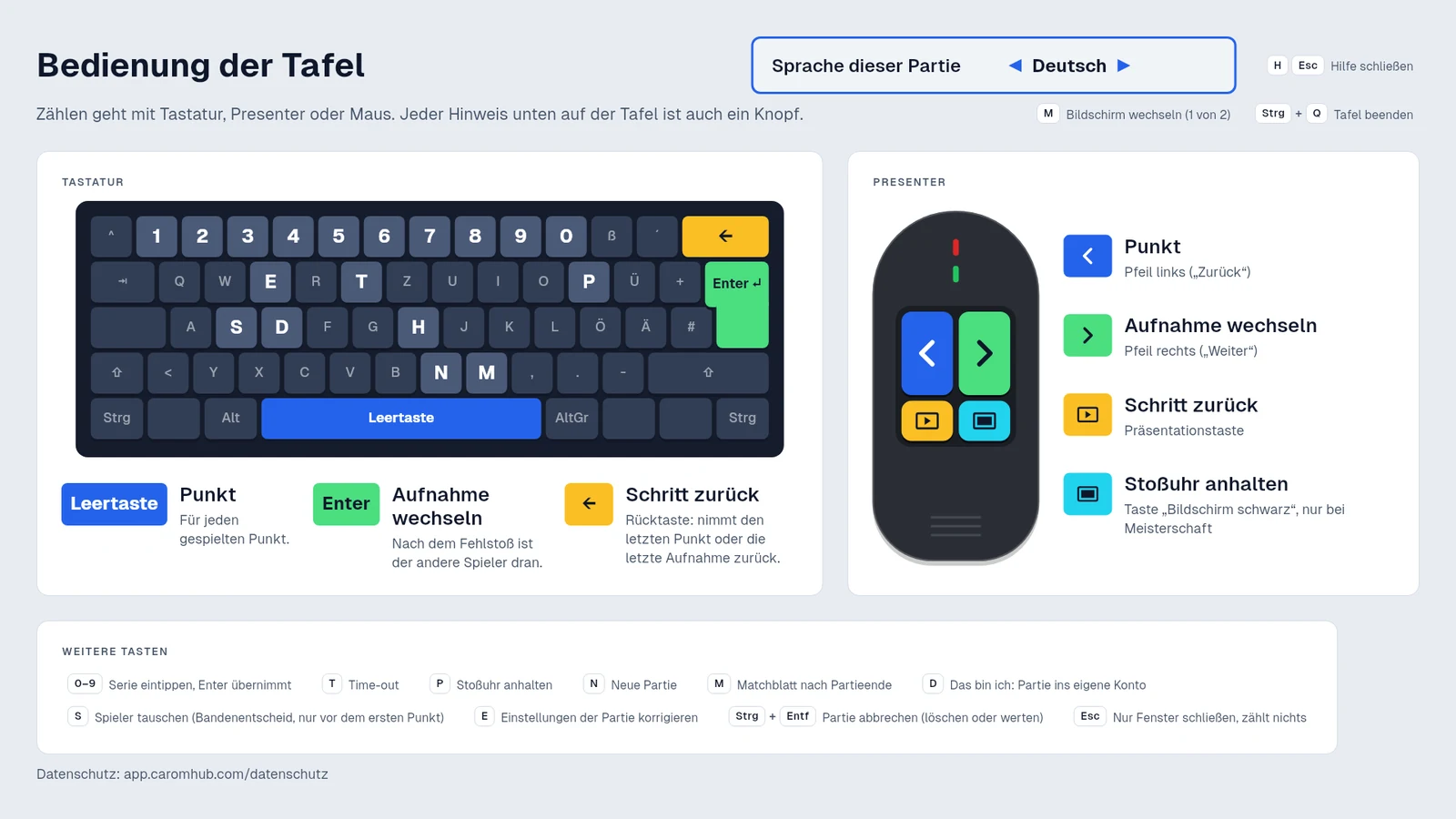
At the billiards table, with keyboard or presenter
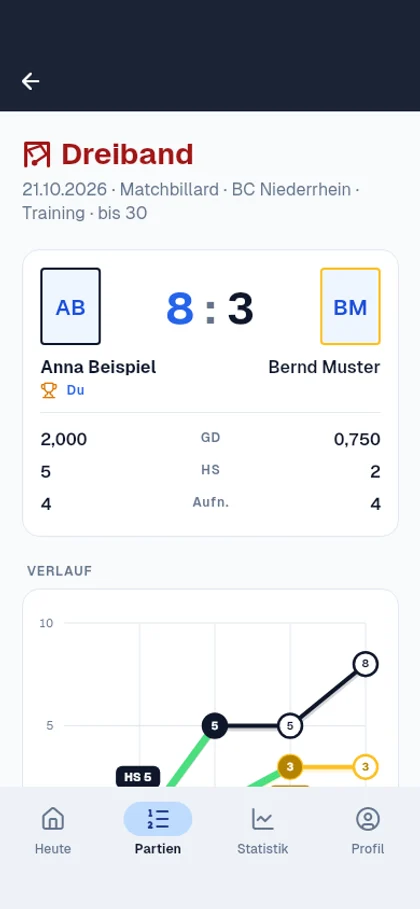
Your carom diary on your phone
All three use the same data, nobody types anything twice. If the internet drops, the scoreboard keeps counting and sends everything later. Anyone can view club pages and leaderboards in the browser without an account.
Your club does not use CaromHub yet? The app still keeps score and collects your matches.
The scoreboard is built for the PC at the billiards table. A keyboard or a presenter is enough, every function has its own key.
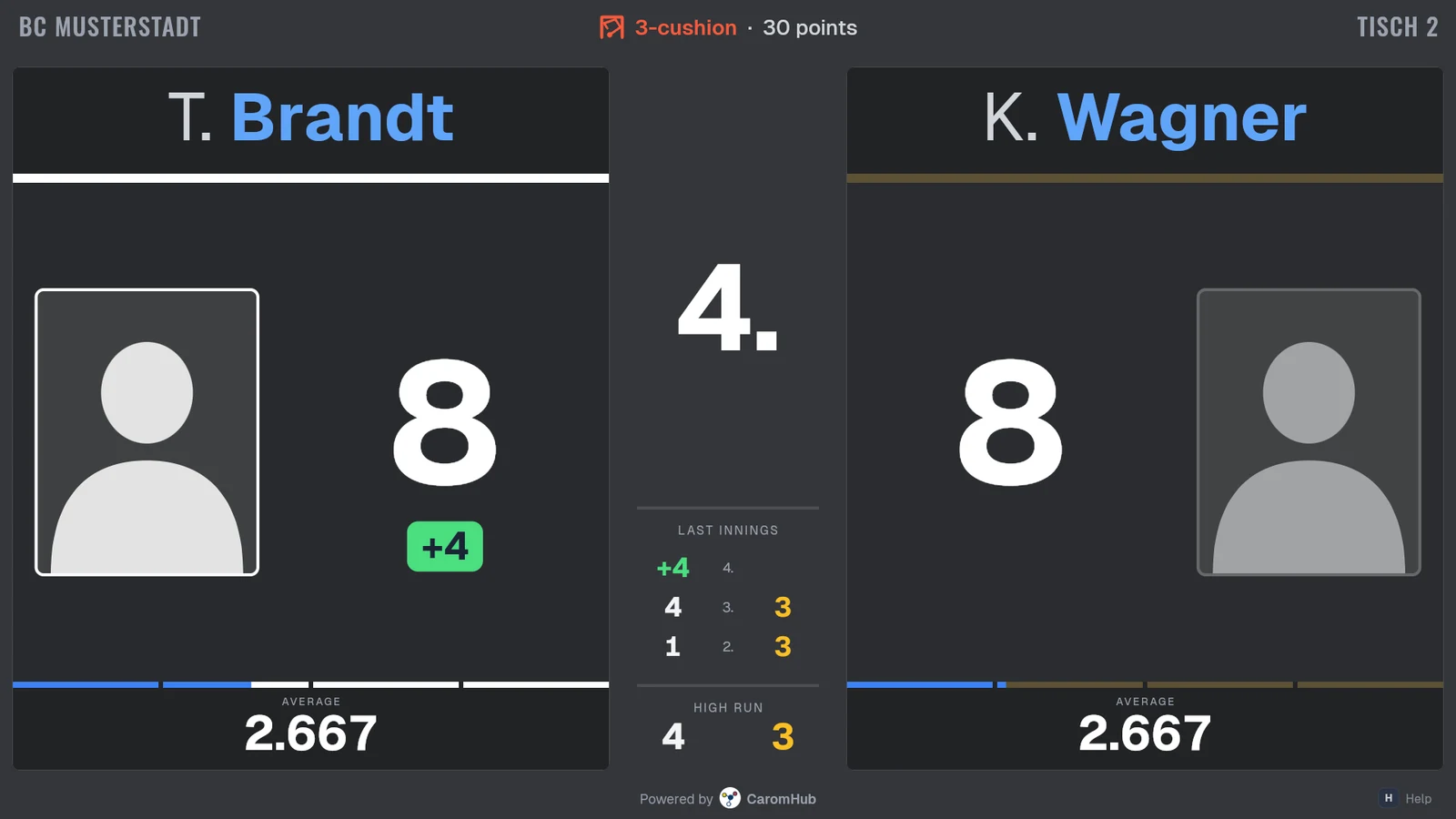
Line-up, substitutes, live stream and match report: on match day nobody needs a PC with a mouse or a sheet of paper. That is how BC Winden played its first league fixture with CaromHub on 14 November.
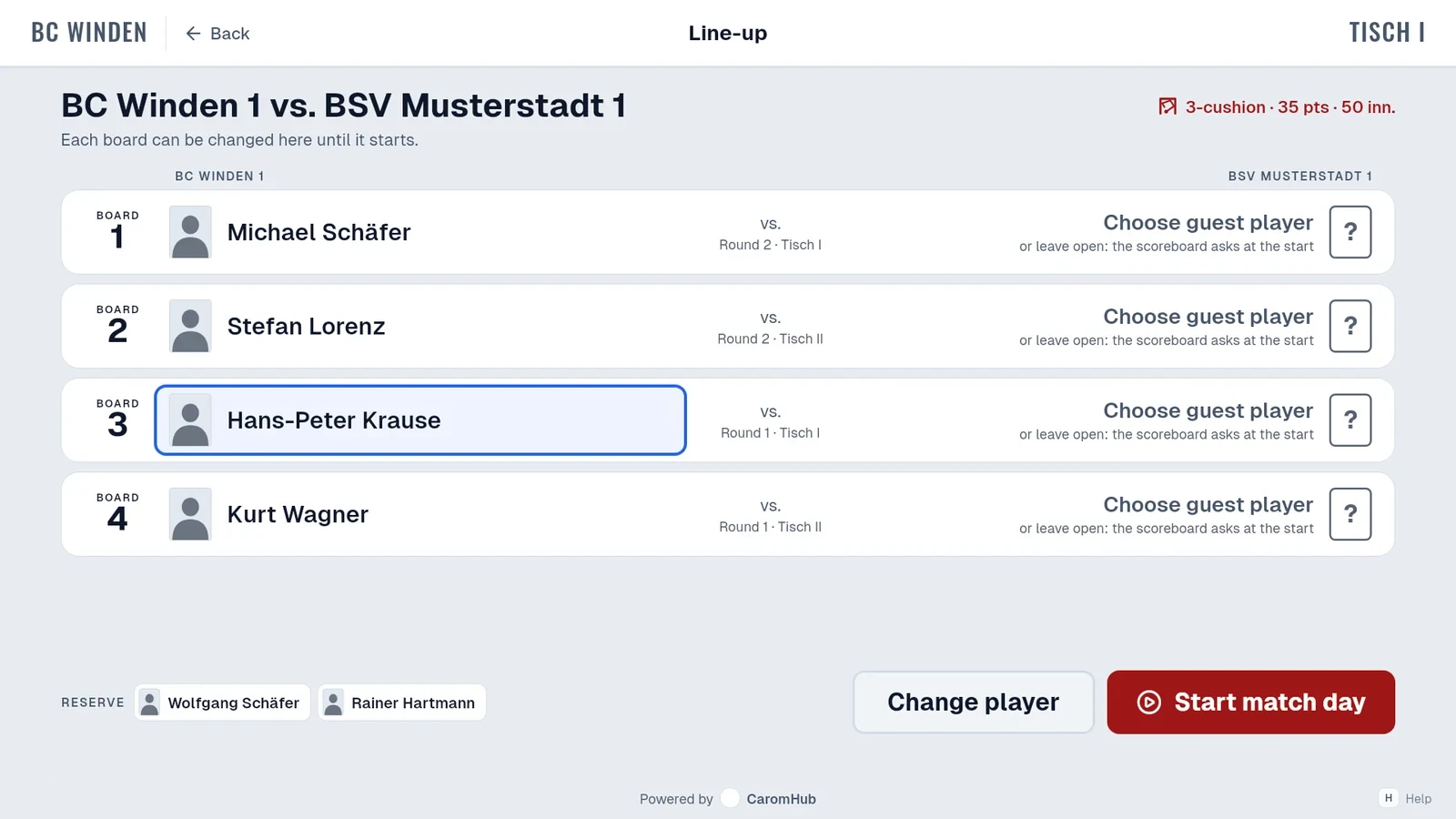
The scoreboard knows the fixture list. Home players, guest players and substitutes are entered at the table and can be changed until each board starts. Only the tables in play show "Start match day".
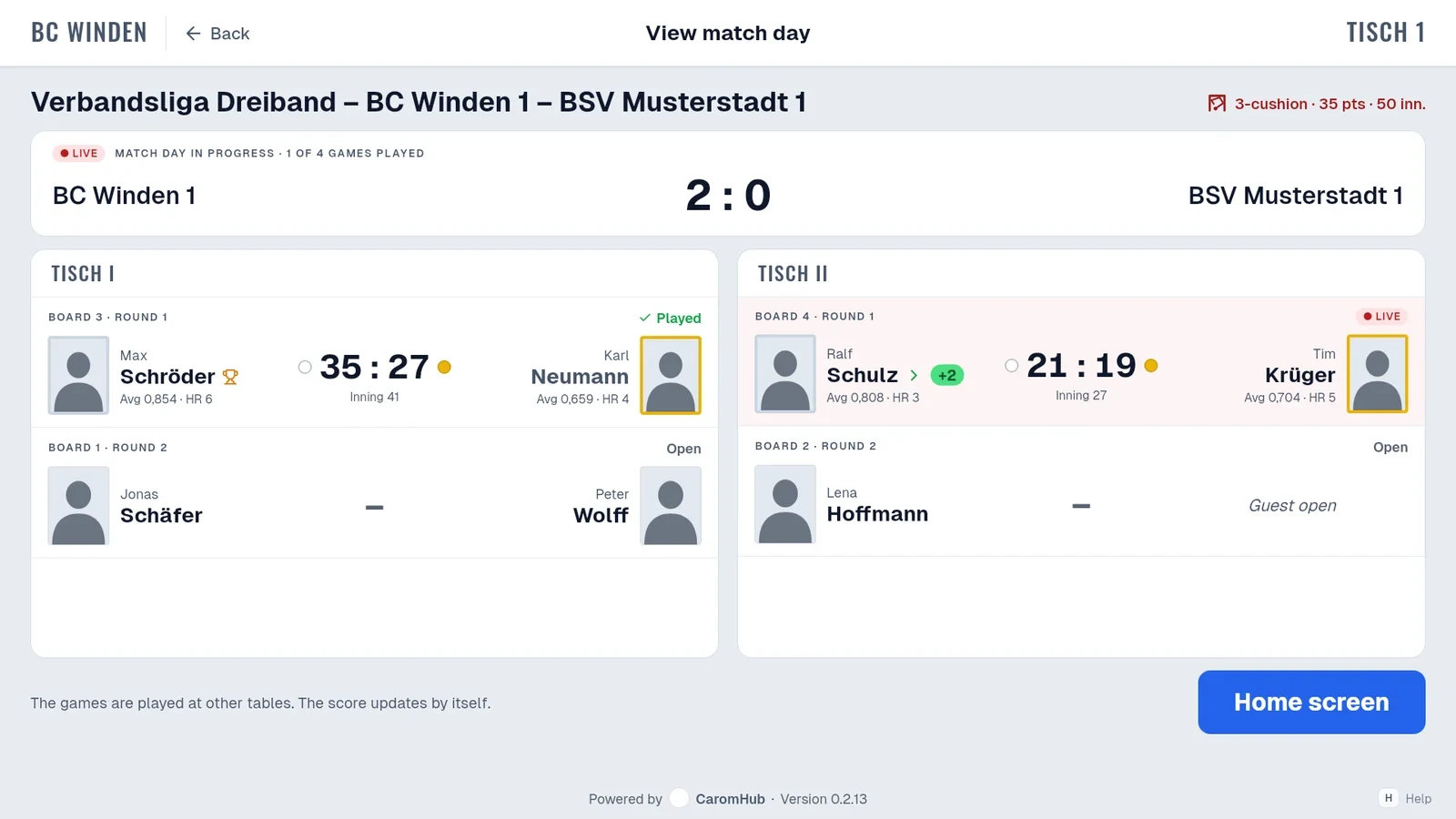
The other scoreboards in the room show the match day live: overall score, every board side by side, white on the left, yellow on the right, the current run as a green "+N".
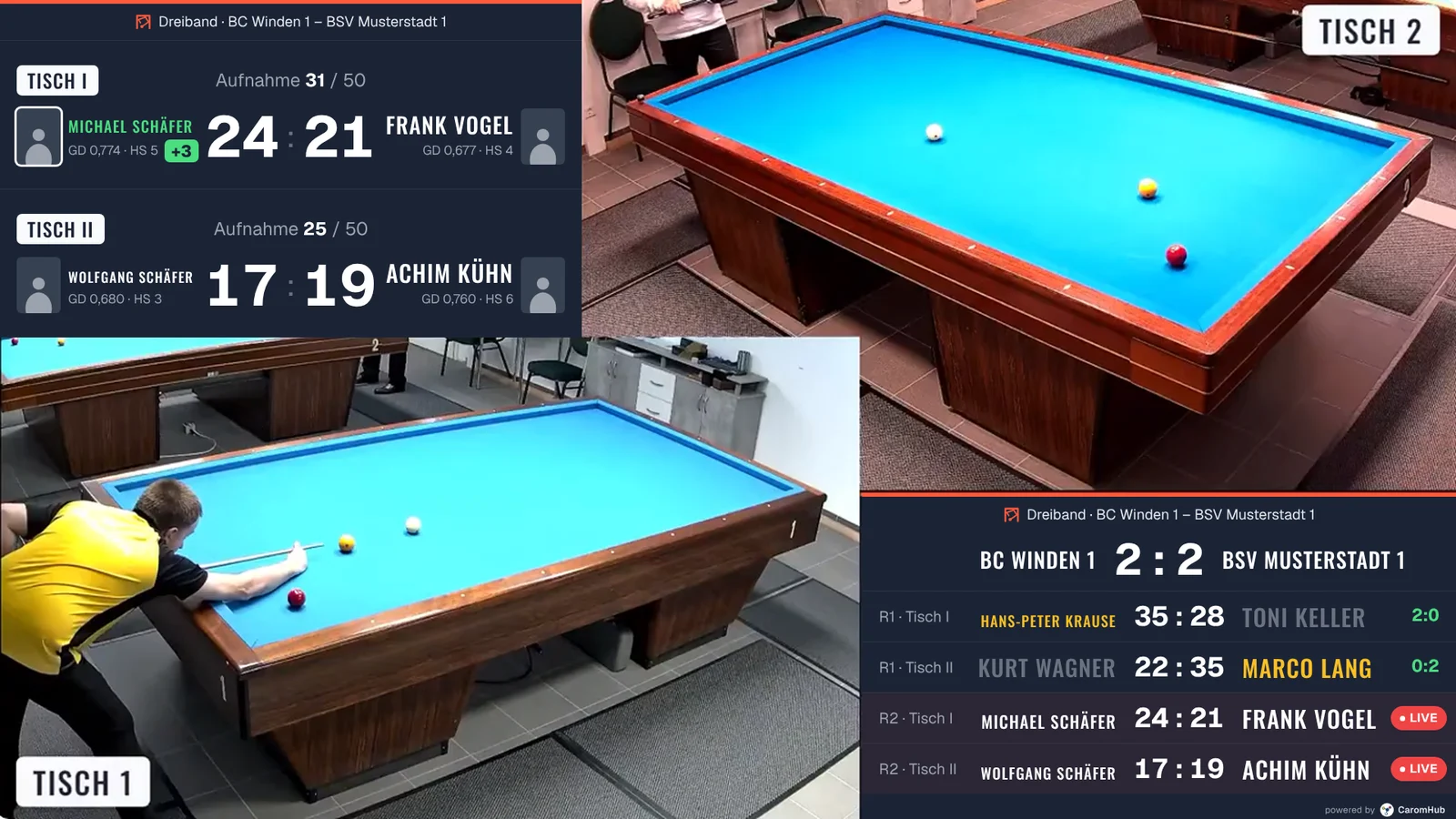
If you stream with OBS, you get scores and match day as a browser source. Every point appears straight away, the delay can be set per camera. Nobody has to operate anything during play.
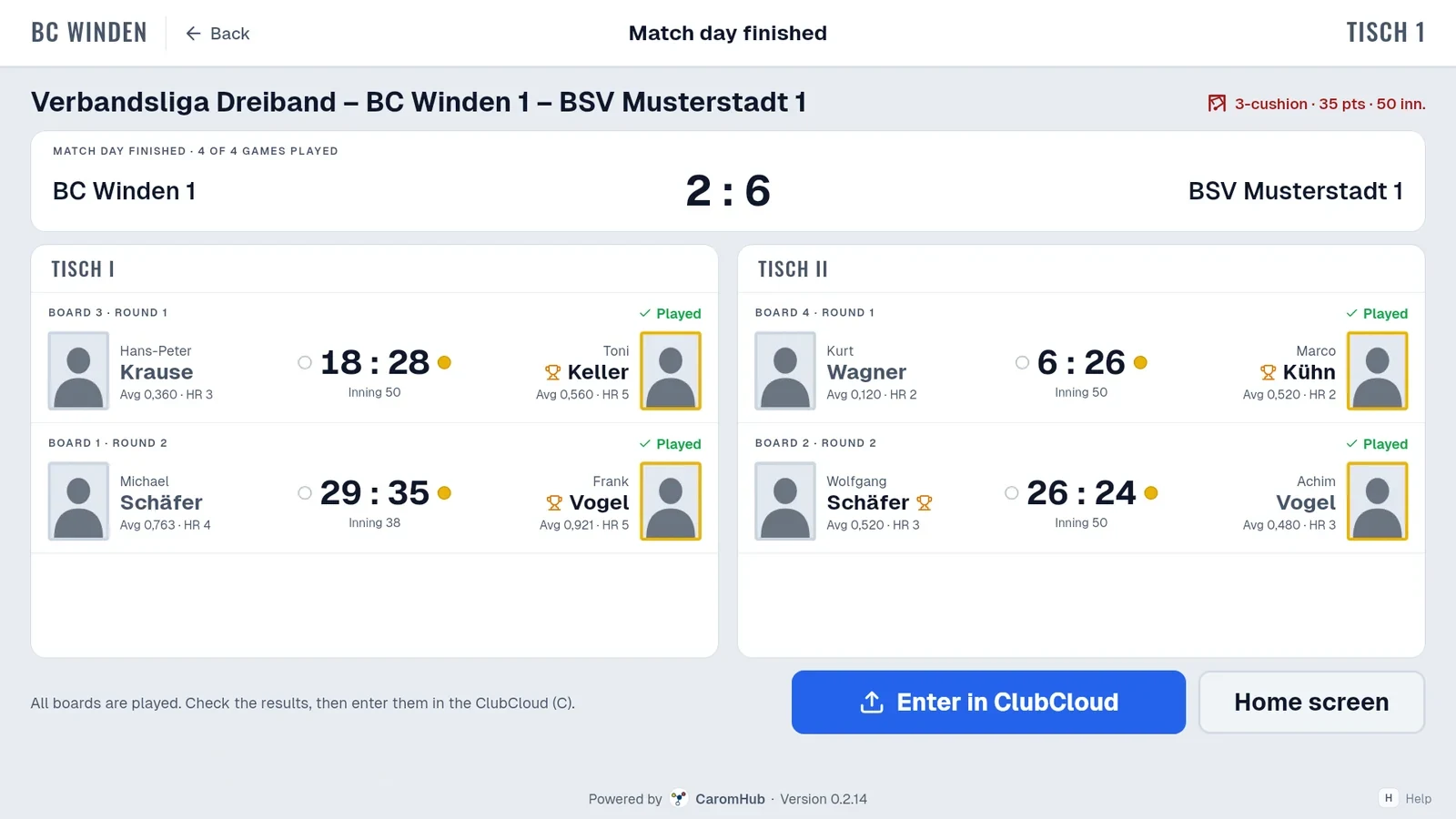
After the last board the scoreboard shows the final score. In Germany it uploads the result to the federation portal with the C key and checks everything first. A PDF match report comes with it.
Who has the highest run in three-cushion on the match table? The statistics page answers that right at the table.
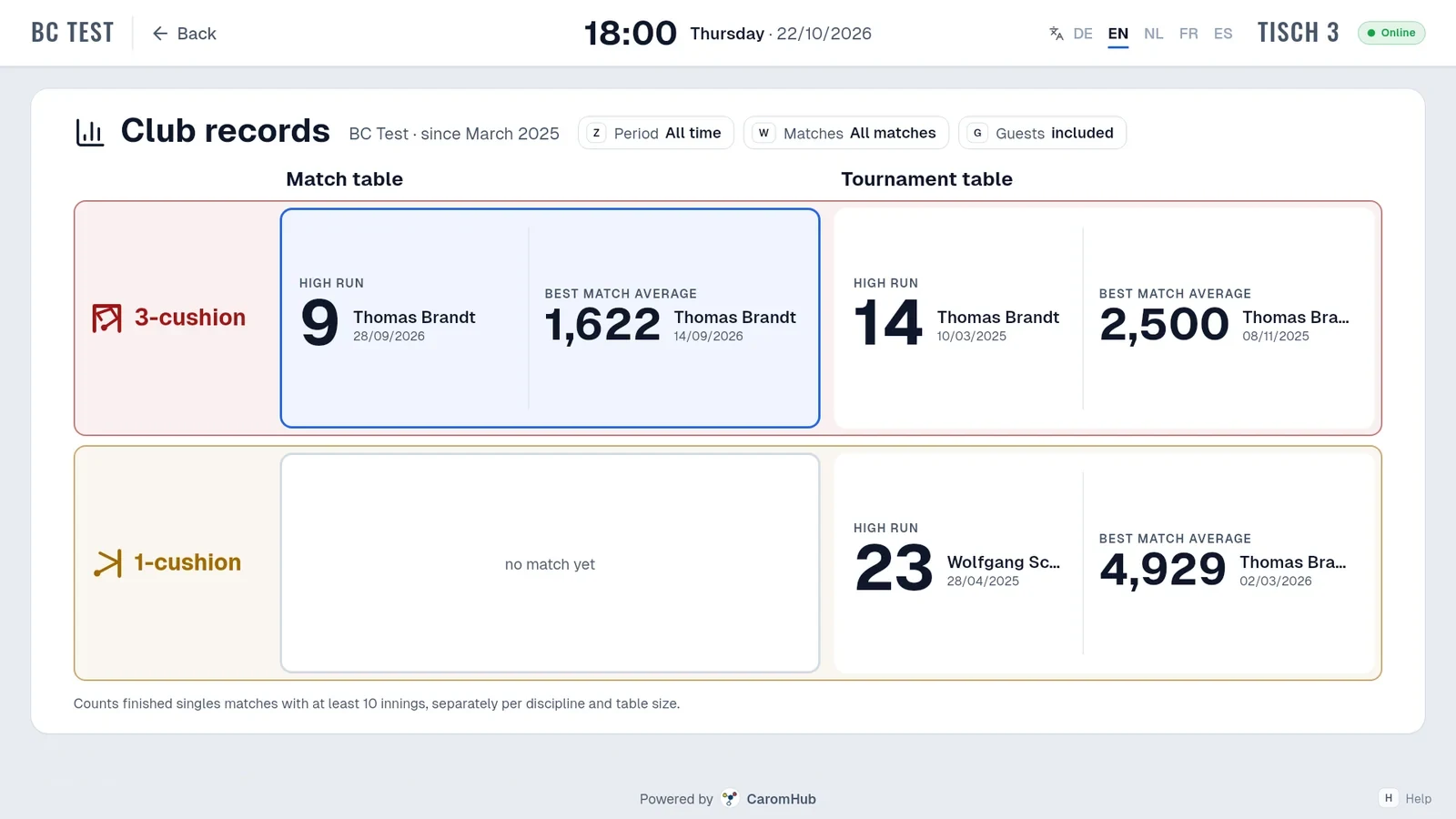
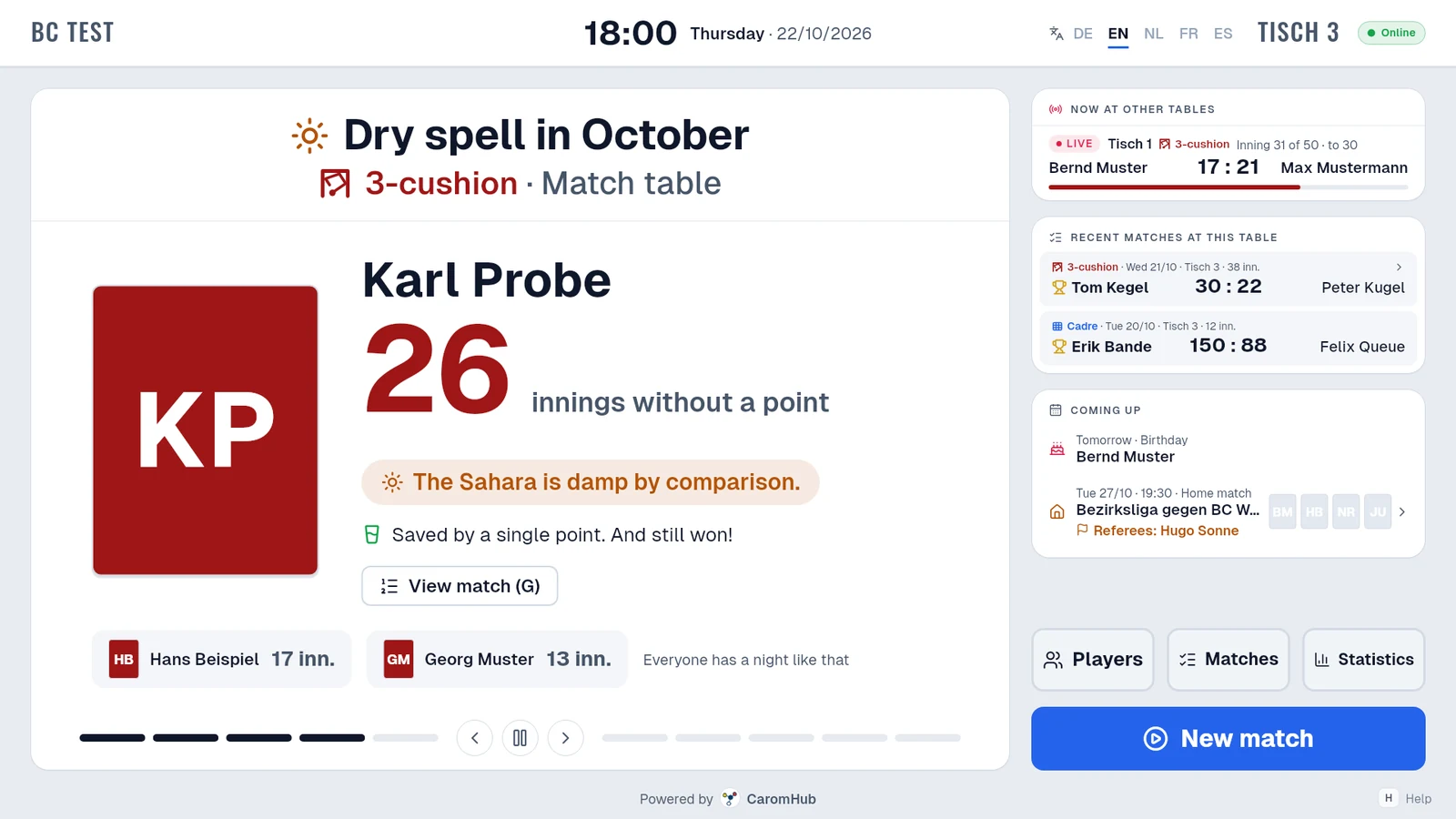
How often did an inning end without a point, and how long was the longest run without one? In the score sheet and the chart, on the scoreboard and in the browser. The home screen takes it with humour.
Every record and personal best opens the match it was played in: on the scoreboard with the G key, in the browser with one click.
Where the club counts first-cushion shots double in three-cushion practice: key 2 or the black-screen key on the presenter, the run continues.
The club switches single home screen slides on or off in the club admin. New slides are on automatically.
Guest players from other clubs have their own tab under “Players”. With a QR code they take their matches into the app without becoming members.
The district sports officer keeps the season ranking and builds the field for the district championship by general average, with a waiting list.
The club plays, players collect their statistics, and everybody else sees the results. All from the same data.
No touchscreen, no mouse needed. The scoreboard is run with a presenter or keyboard and keeps counting when the internet drops out.
Everything works with a keyboard or presenter. H shows the keys of the page, a second H the full help.
Scan the QR code on the scoreboard with your phone and pick the table. Pairing survives updates and restarts.
Every inning is saved on the PC straight away. Results reach every table and the club admin within seconds.
Standard, handicap or best of 3, 5 and 7 sets. Singles, doubles and scotch doubles, with shot clock, time-outs and equalising inning.
Line-up, substitutes and start on the scoreboard, the other tables watch live. At the end: final score, upload to the federation portal and a PDF match report.
Round robin, knockout or groups followed by a knockout. Set it up on the scoreboard, free tables get the next match.
Leaderboard of the month, climbers, personal bests and records per discipline and table size, plus recent matches and dates.
One player list for every table. Find players, add new ones or enter a guest without leaving the match.
Club records and leaderboards per discipline and table size with the R key, plus every match with all innings and its chart.
Miscounted? After the match, change, insert or delete any inning.
Scores and match day as an overlay for OBS, live with the current run and in sync with your cameras.
Check connection, presenter, printer, camera and screens at a glance before the evening starts.
For individual championships the assigned referees appear on the scoreboard, players see their duty in the app.
Not paired yet? The demo shows the whole scoreboard with sample data, no account and no sign-up.
New versions install themselves. Nobody at the club has to install anything.
German, English, Dutch, French and Spanish, per table and per match.
You play at the table as always. The app collects everything else.
You only pay for tables with a CaromHub scoreboard, and the first month from the first scoreboard is free. Club nights cost players nothing.
Download the installer, run it and pair it with the table. Updates arrive by themselves after that.
The CaromHub scoreboard has been counting at every table of BC Winden since late October, and now it carries the version number 1.0. What it includes, what was added lately and how the update reaches you.
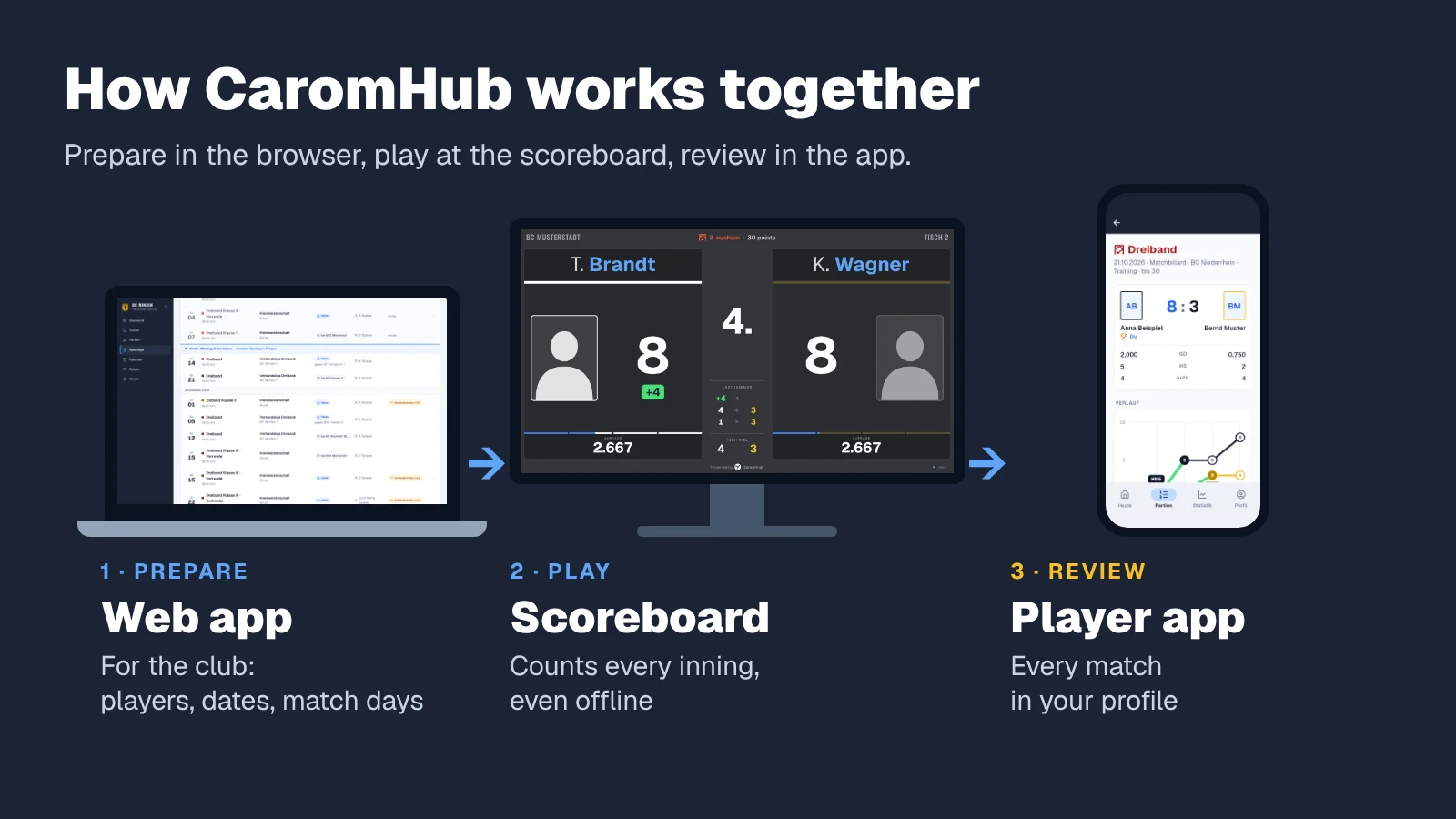
Prepare in the browser, play at the scoreboard, review in the app. How the three parts of CaromHub work together, why the scoreboard keeps counting without internet and what the player app for iPhone and Android can do.
Chalkboard, a score counter from the shop or a PC at the table? What a digital carom scoreboard can do, which hardware you need per table and what a club should budget.
Create your club, install the scoreboard, pair it. That is all it takes. Want to look around first? The demo club needs no sign-up.