 CaromHub
Saturday, 14 November, 2 pm: regional league three-cushion, BC Winden 1 against BF Königshof 1. Four boards in two rounds, played on our two match tables, Table I and Table II, to 35 points or 50 innings. For CaromHub it was the biggest test so far: for the first time a whole team match day ran on the scoreboards, with a live stream and with the result uploaded to ClubCloud, the online system of the German federations.
On the table the day belonged to the visitors, who won 6:2. Congratulations to Königshof, and thank you for a fair afternoon and all the questions about the scoreboard.
Line-up and start on the scoreboard
The scoreboard knows the fixture list from ClubCloud. Before the match we entered the line-up on Table I: our players, the guest players and the substitutes. Everything can still be changed until a board starts. After that each match starts at its table without anyone having to pick the players again.
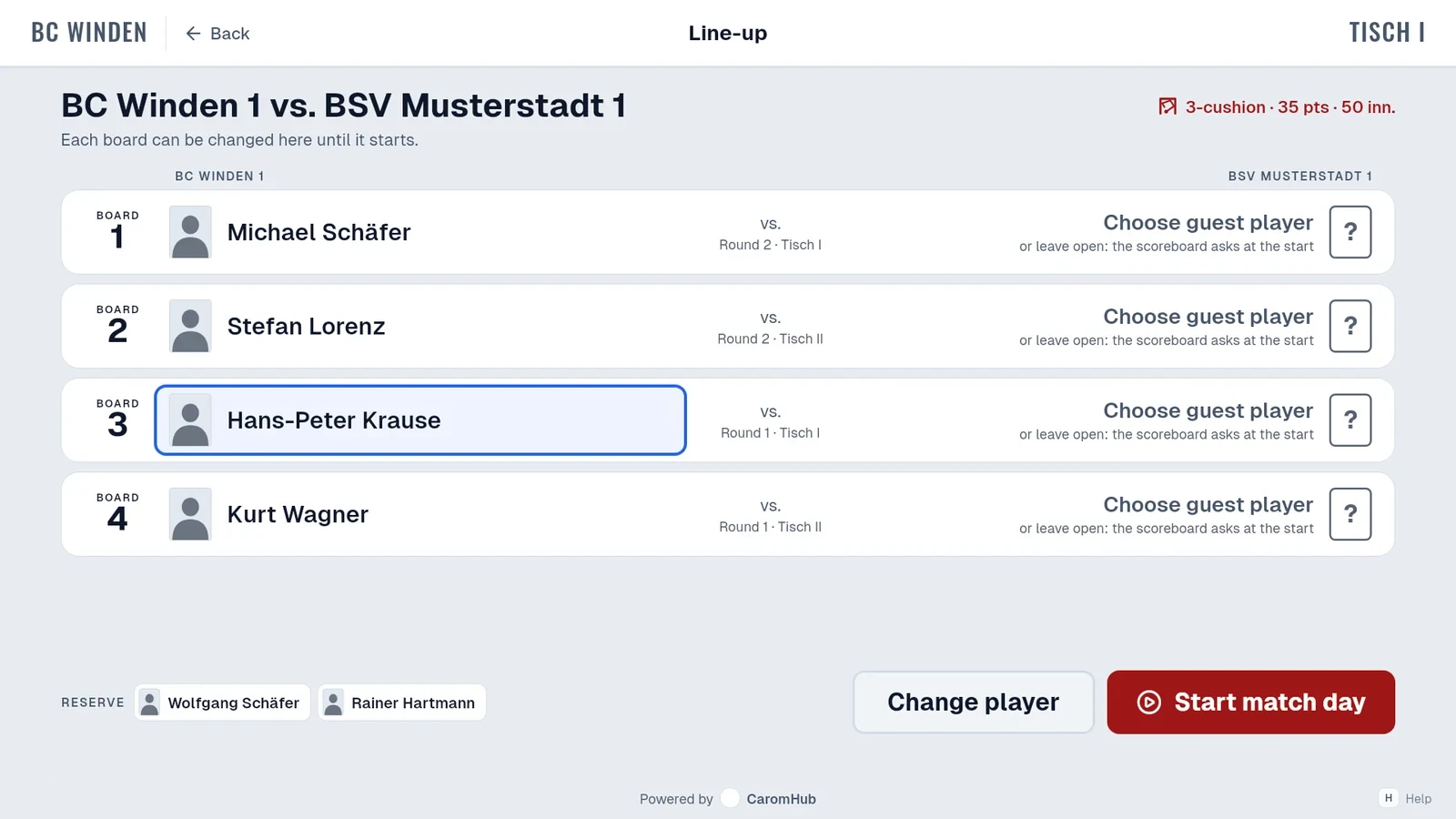 The line-up on the scoreboard. All names in the images of this post are made up.
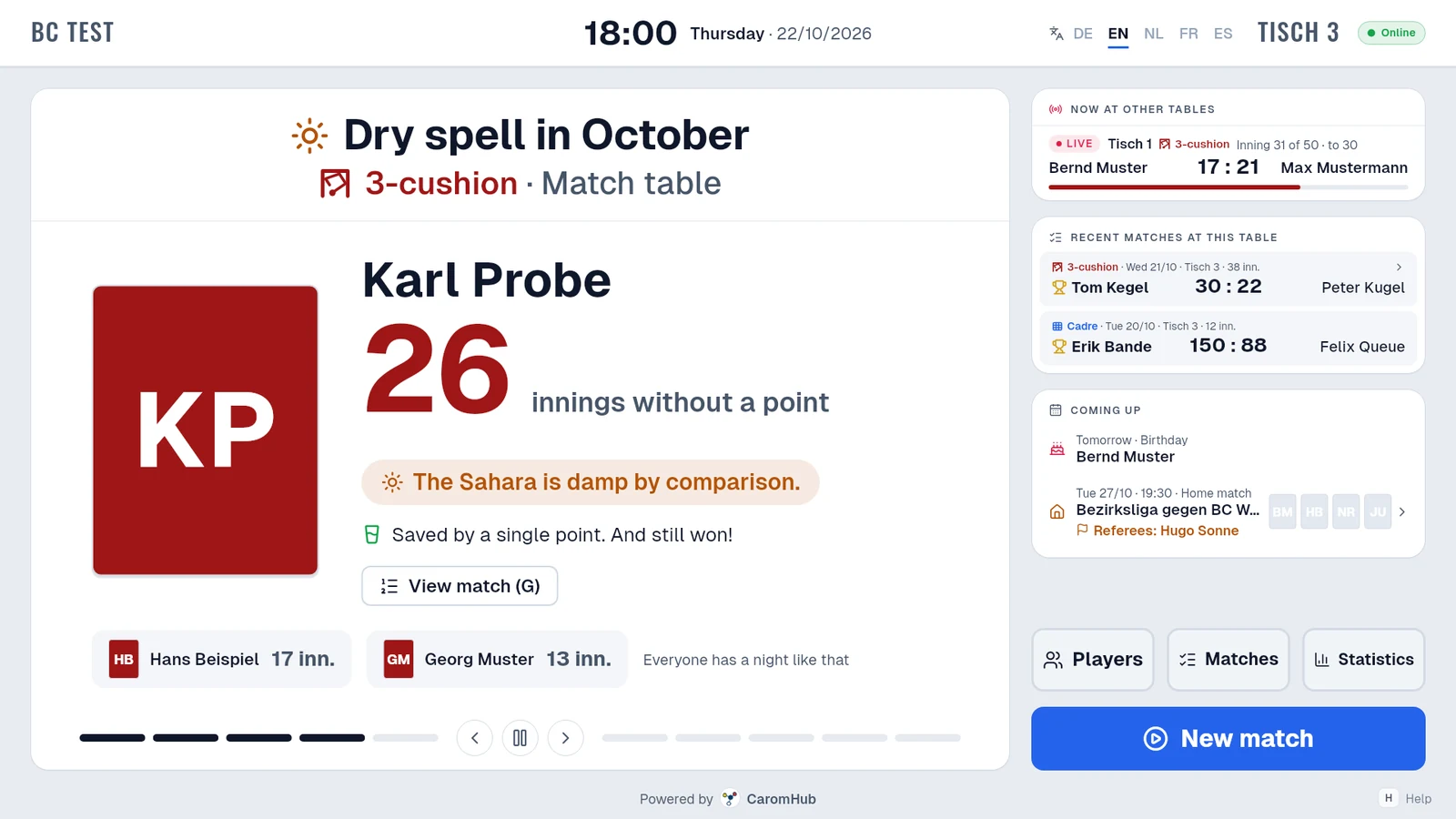
Our smaller tournament tables carried on as usual during the afternoon. They show "View match day": the overall score and every board of both match tables live, white on the left and yellow on the right, the current run as a green "+N". Anyone not playing can follow the score from any table.
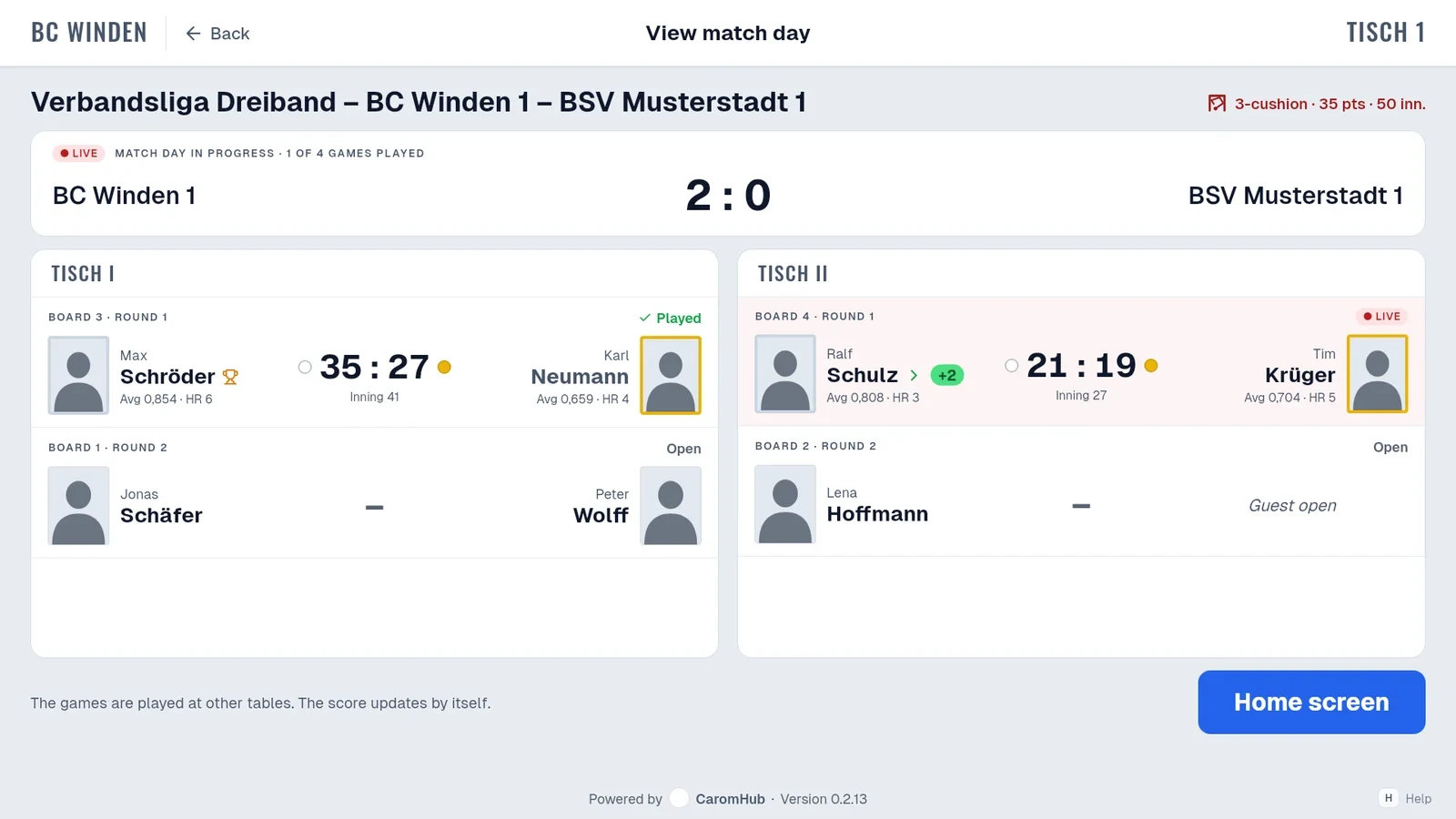
The live stream
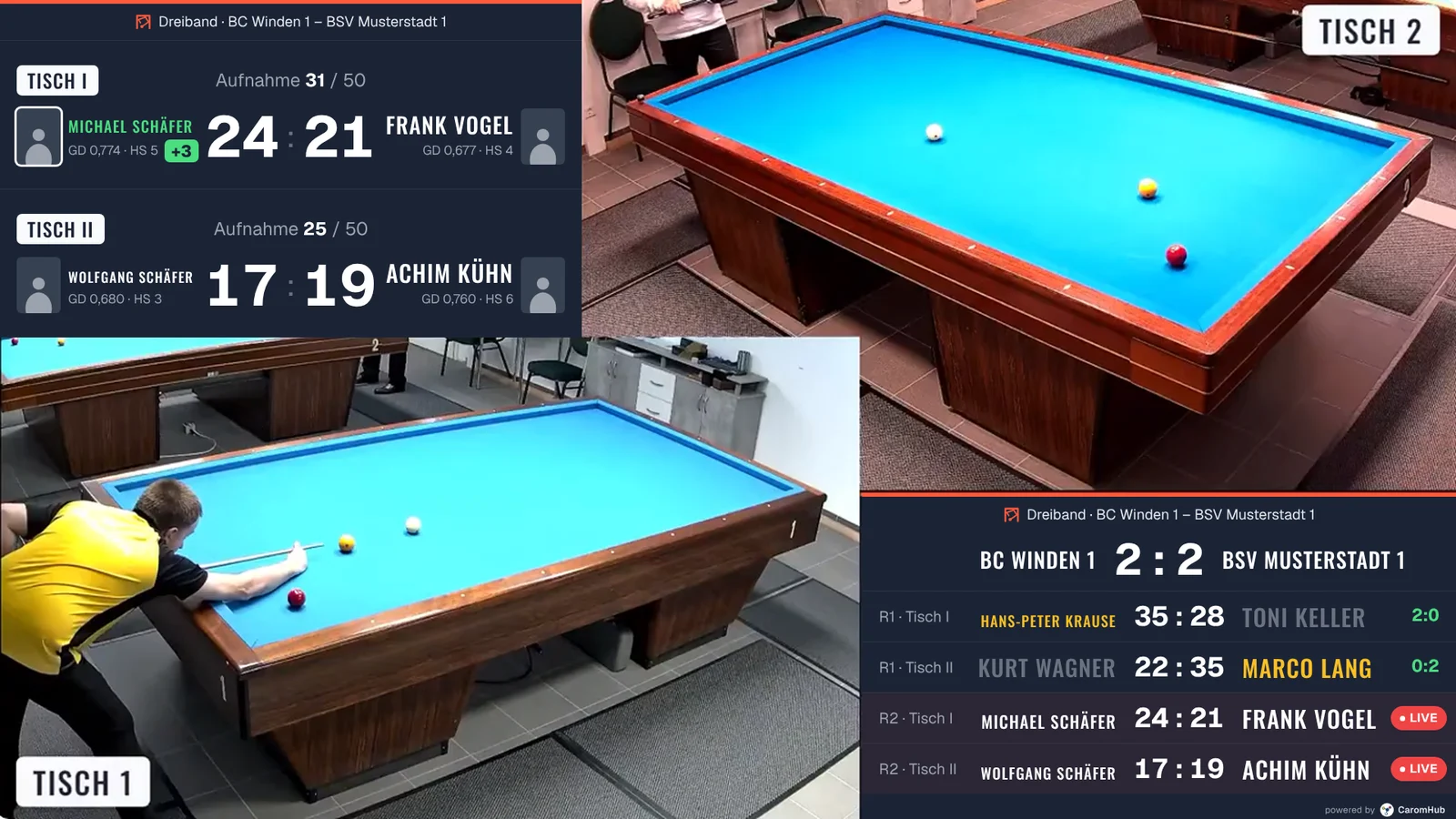
We stream our home fixtures with two ceiling cameras and OBS. Until now we filmed the screen of our old scoring software for that. On Saturday the scores came straight from CaromHub for the first time: top left both running matches with innings, average and current run, bottom right the whole match day with every result. The image at the top shows what it looks like (with made-up names). Every point appears straight away, and the delay can be set per camera so that picture and score stay in sync.
You can watch the whole match day on YouTube (commentary in German).
We built many of the viewers' wishes the same afternoon: larger text, the name of the player at the table in green, the winner in gold with a small trophy, the club crests next to the team names and the final result after a match instead of an empty field.
Final score and upload
After the last board the scoreboard shows the final score of the match day. One button, and the result is in ClubCloud, with every point, inning and high run. CaromHub checks beforehand that everything adds up. On Saturday we still triggered it from the club admin in the browser, and it worked first time. Since scoreboard version 0.2.15 it works right on the scoreboard with the C key.
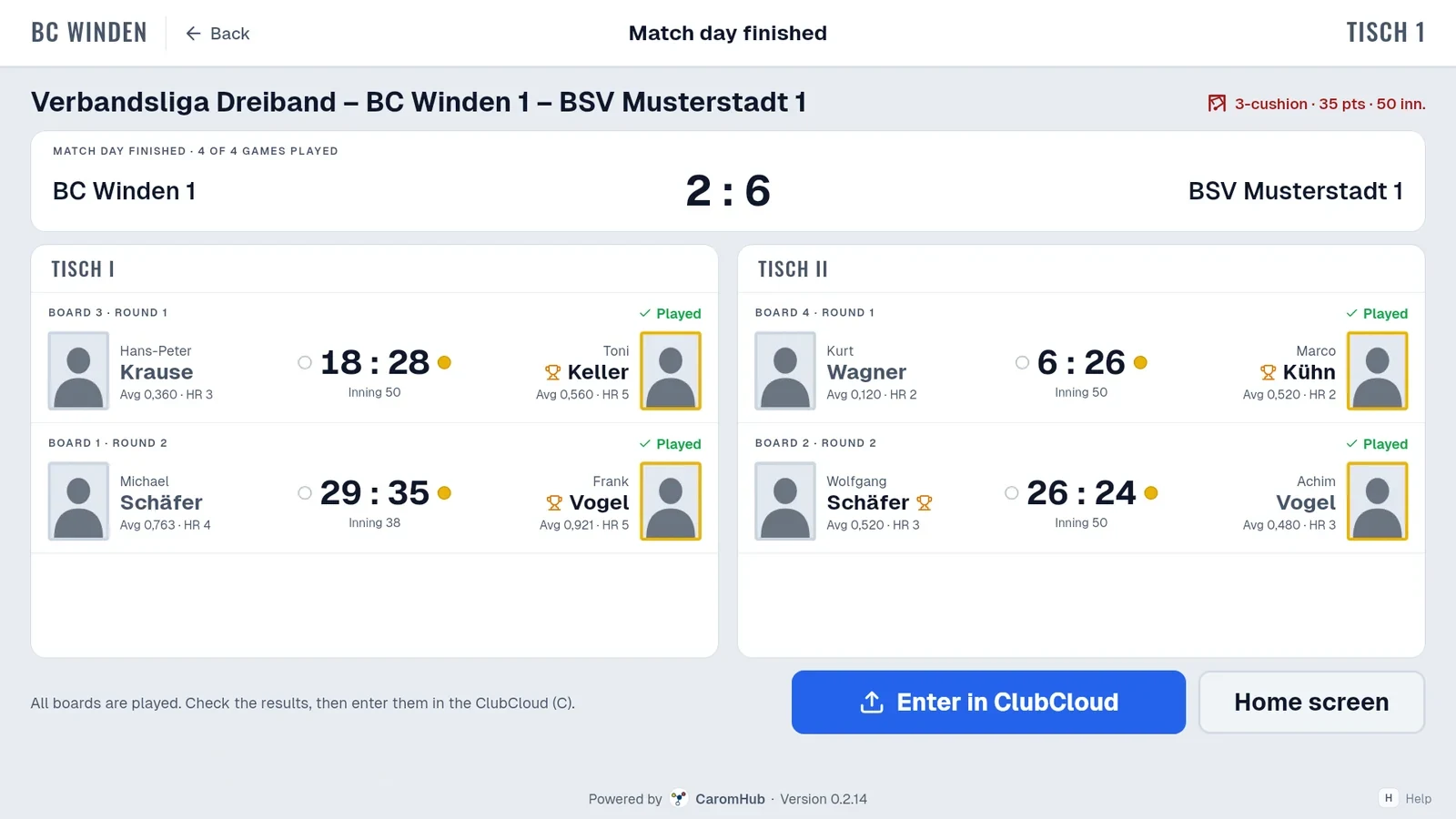
What did not work yet
To be honest, not everything went smoothly, and that is exactly what the day was for:
- Player swap on Table II: after the players were swapped, the display stuck at 0:0 for a moment. The cause was found quickly and is fixed.
- OBS crash: on our older streaming laptop OBS crashed while loading the overlay. Turning off hardware acceleration for browser sources in OBS fixed it. If you use an older laptop with Intel graphics, set it that way from the start.
- Restart mid-match: one scoreboard dropped out at the start of the second round, probably because of an automatic update. Since version 0.2.15 updates wait while a match day is running on the scoreboard.
What comes next
Next up is a public live page for the match day that spectators can open on their phone without signing up, with a QR code in the stream. If you want to know how the scoreboard feels, you can try it right in your browser.
Do you play team matches yourselves and want your match day to run like this? Register your club. The first month from the first scoreboard is free, after that it costs €3 per table and month. I am happy to answer questions at info@caromhub.com.