 CaromHub
A lot has been added to the scoreboard and the club admin over the last few days. Here is the overview.
Scoring without a mouse
The scoreboard can be operated entirely with a keyboard or a presenter. The three most important keys:
- Space point
- Enter next inning
- Backspace undo
With a presenter the player keeps score right from the table: left arrow is a point, right arrow ends the inning. Everything else has a key too, from a new match (N) and tournaments (U) to the help (H). The bottom of every page shows the keys that work there. Once you know them, hide them with K. Mouse and touchpad still work, every hint is also a button.
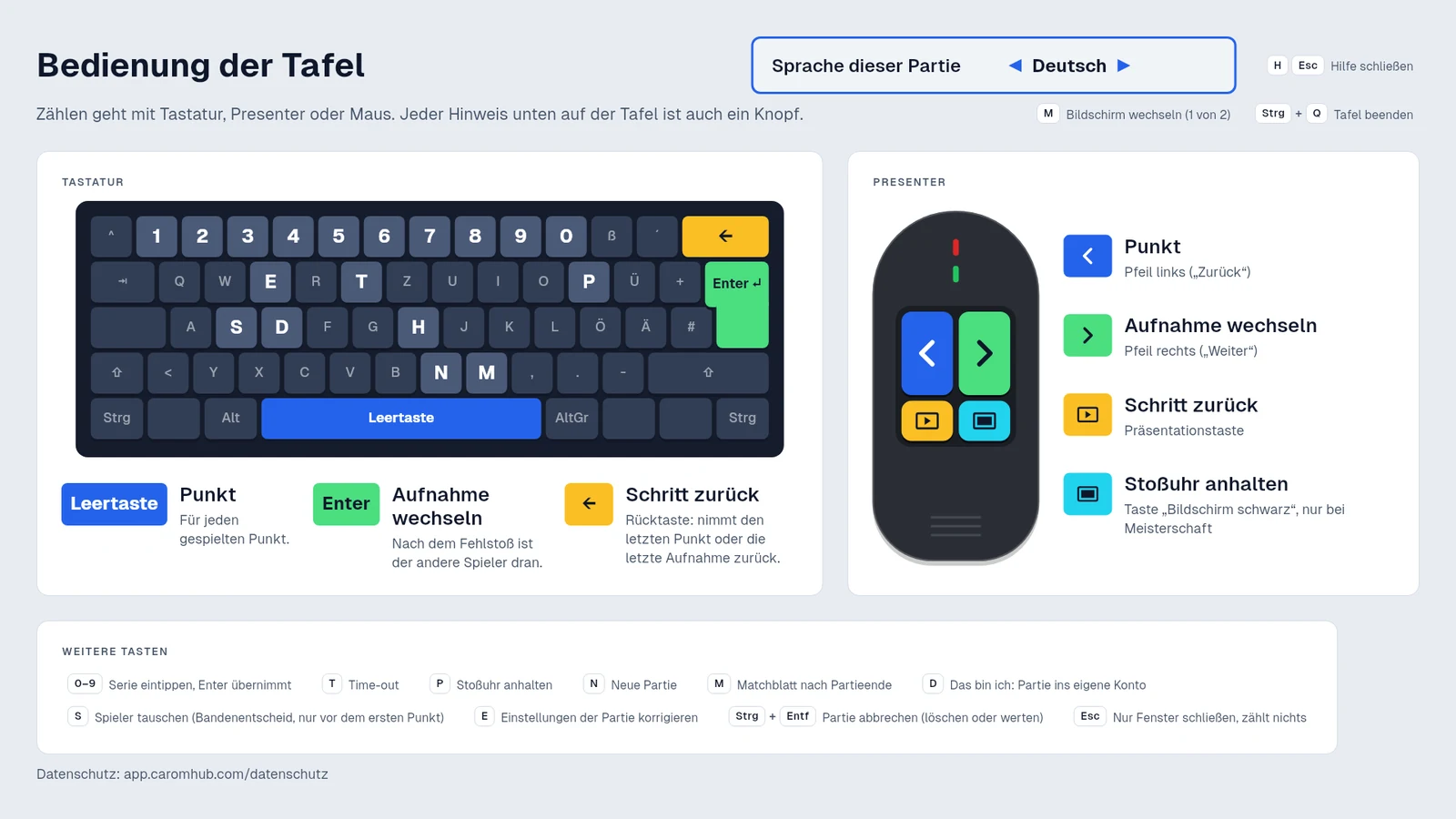 The help on the scoreboard: keyboard on the left, presenter on the right.
Sets: best of 3, 5 and 7
Under "Game mode" there is now best of 3, 5 and 7 next to standard and handicap. Each set is played to a fixed number of points, and the deciding set can have its own target. This works in singles, doubles and scotch doubles. Set matches count on their own and do not change the general average.
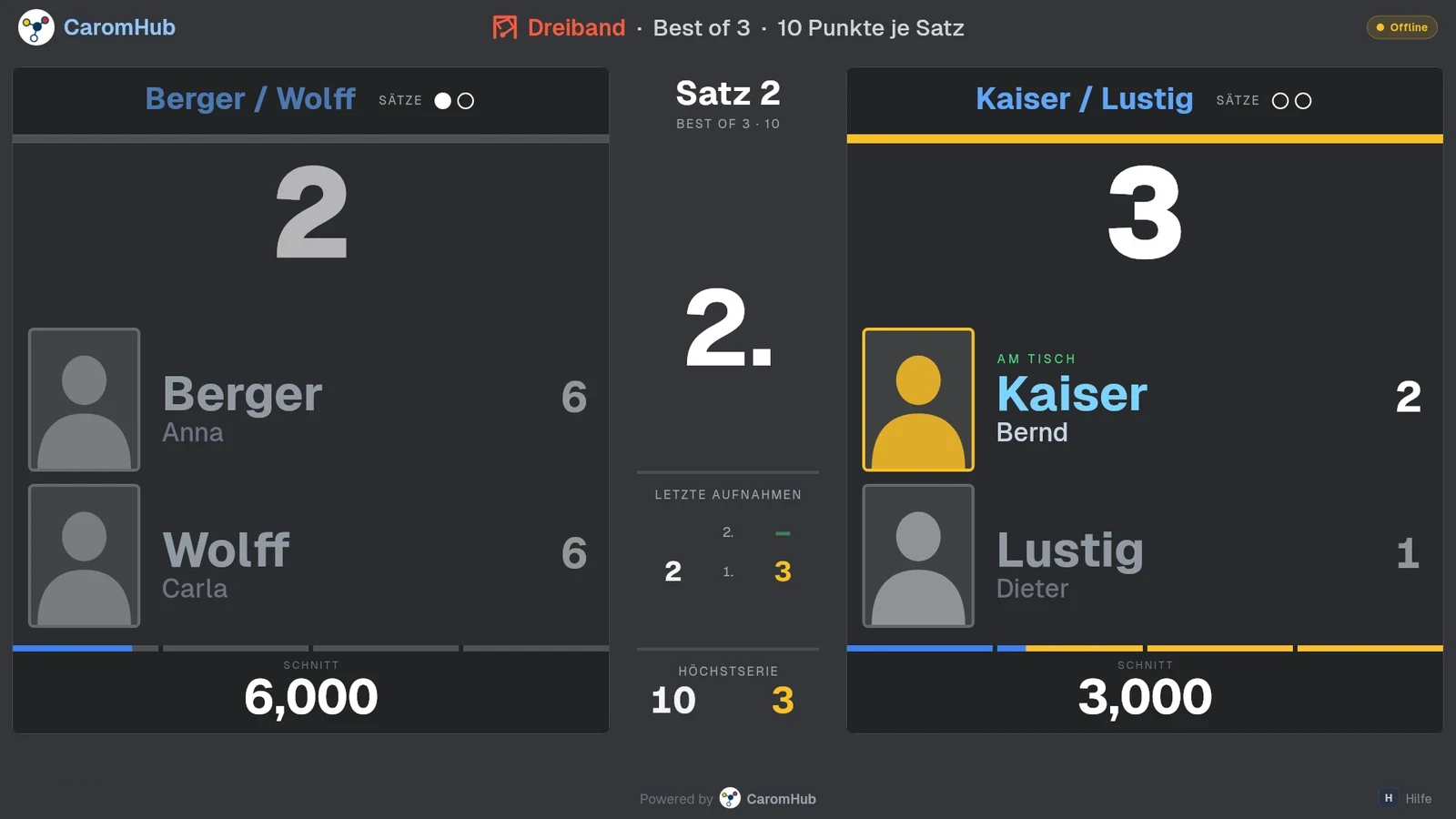
Club tournament on the scoreboard
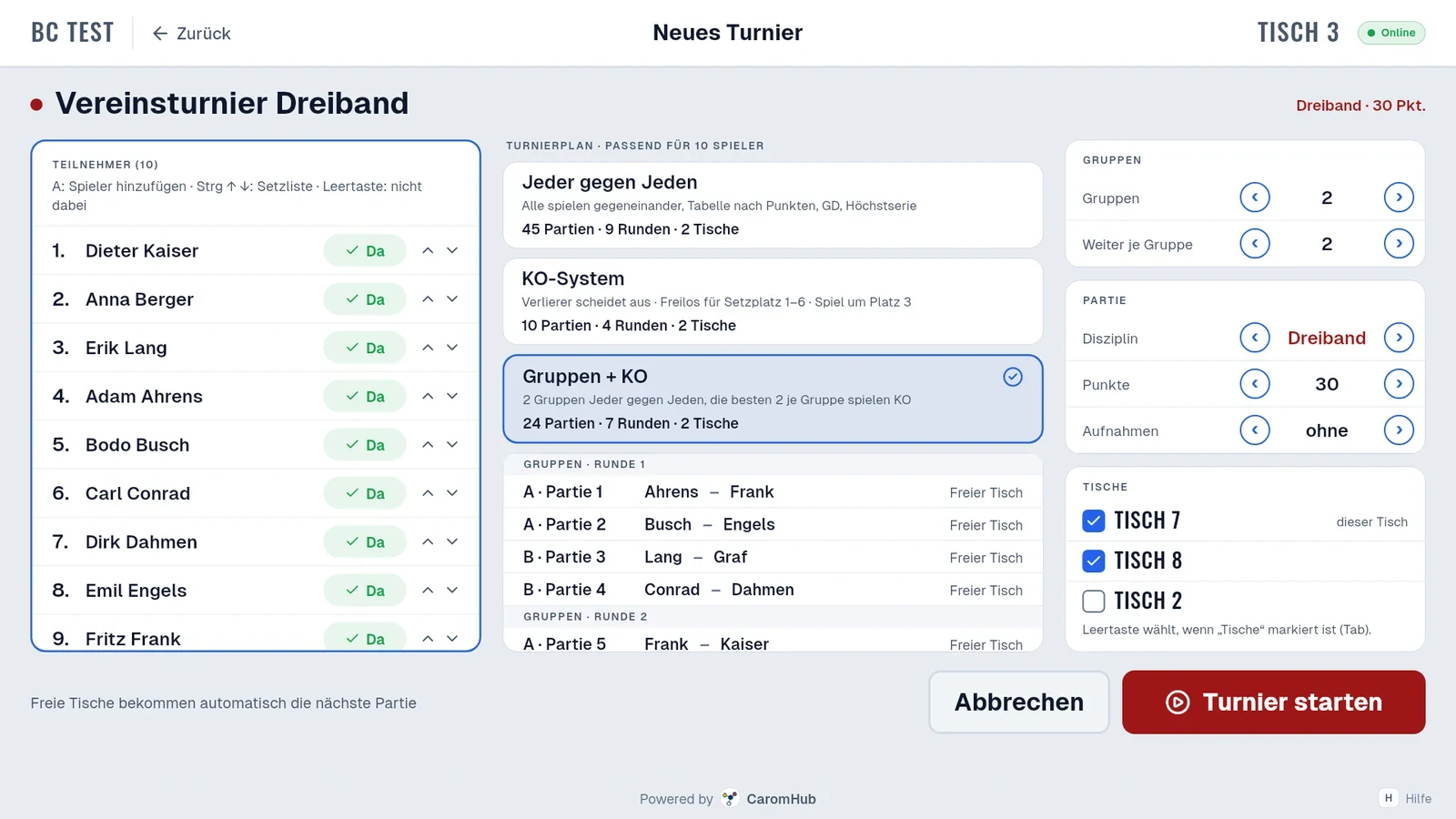
Press U on the scoreboard to create a club tournament: pick the players, sort the seeding, tick the tables and choose the format.
- Round robin with a table by points, general average and high run
- Knockout with byes and a third-place match
- Groups + knockout: groups first, then the best of each group play a knockout
Free tables get the next match automatically, and the standings of each group update live.
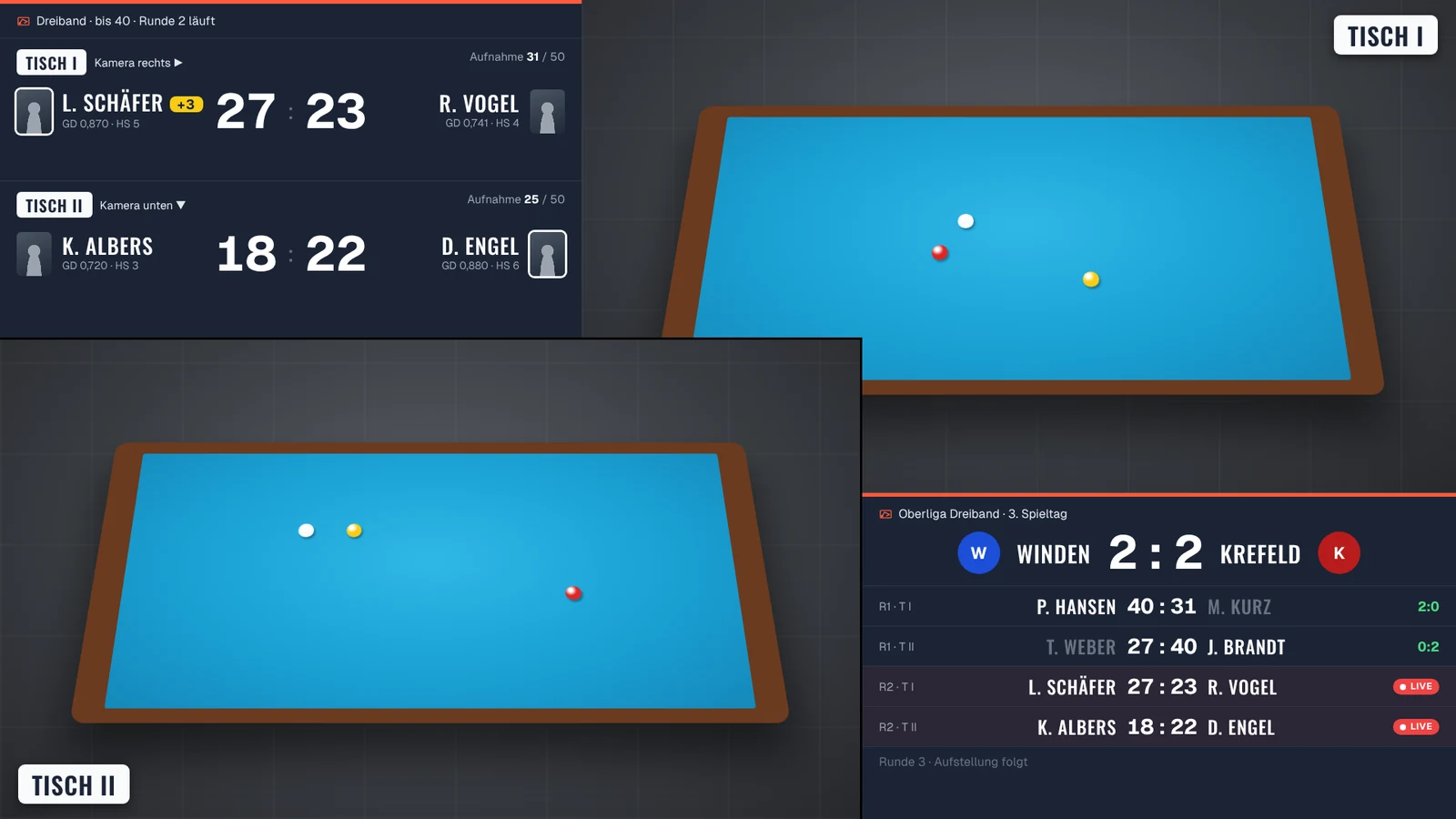
Live stream overlay
For clubs that stream their match days with OBS there are now overlays as a browser source: the scores of both tables with the current run, a sign per table and the whole match day with every result. Because camera pictures often lag a few seconds behind, the delay can be set per table. You find the addresses in the club admin under Settings, Tables.
Correct the score sheet
Miscounted? After the match every inning can be changed, inserted or deleted afterwards, keyboard only of course.
Also new
- ClubCloud sync (Germany): connect teams to ClubCloud, the German federations' online system. Fixtures, squads and played fixtures come from there.
- Bring your old data: import old matches and players from the export of your previous software, with every inning. A newer export only adds the new matches.
- Match day on the scoreboard: start boards at other tables, change players, bring on substitutes. The match report now knows boards, table size and substitutes.
- Live tiles: the current run appears in the browser immediately as "+N".
- Championship and practice kept apart: statistics and home screen tell them apart. Club night matches are practice, championship runs through match days and tournaments.
- Demo: a freshly installed scoreboard can show a demo with sample data, even before you sign in.